





One-to-one video

Your best advisor, on video

From a product page or a live show, customers talk to an advisor, right now or by appointment, and add to cart without hanging up.

More than 2,000 live shows streamed with Caast. If you already run them, video advice uses the same script.

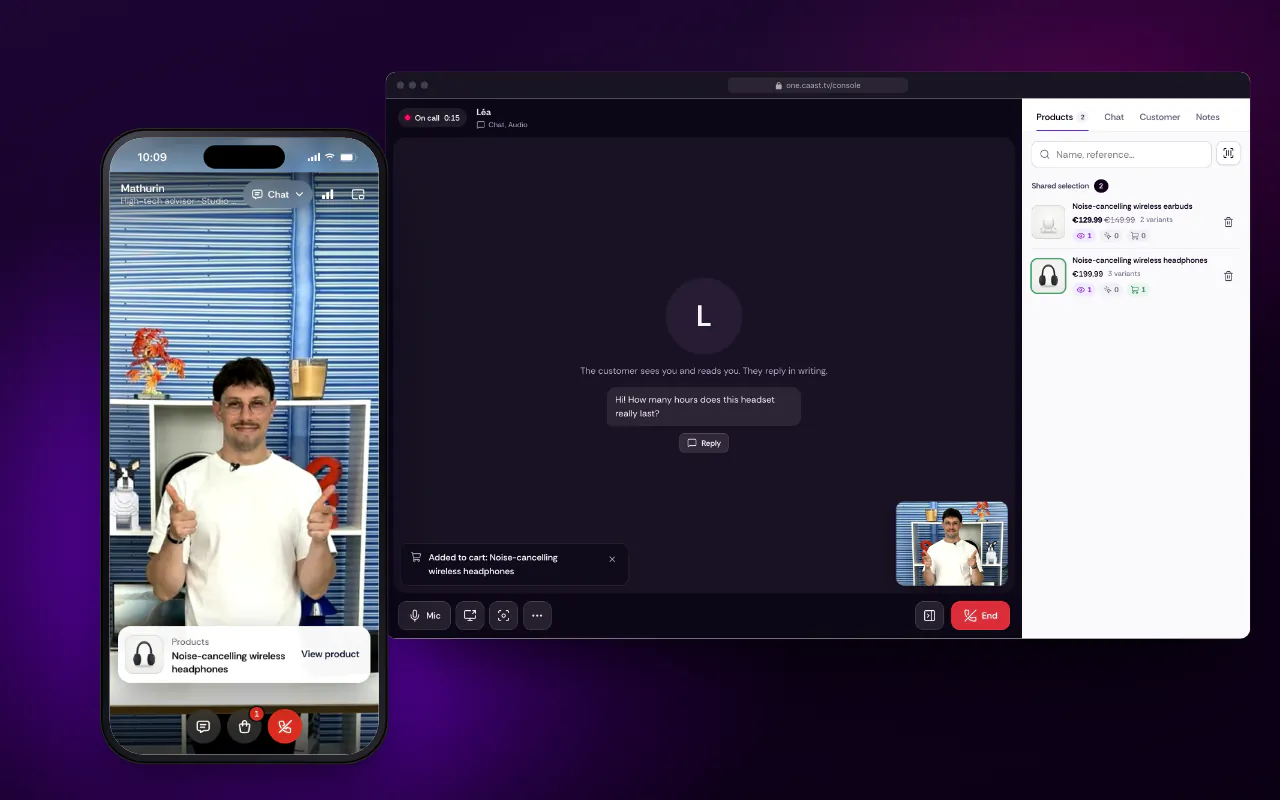
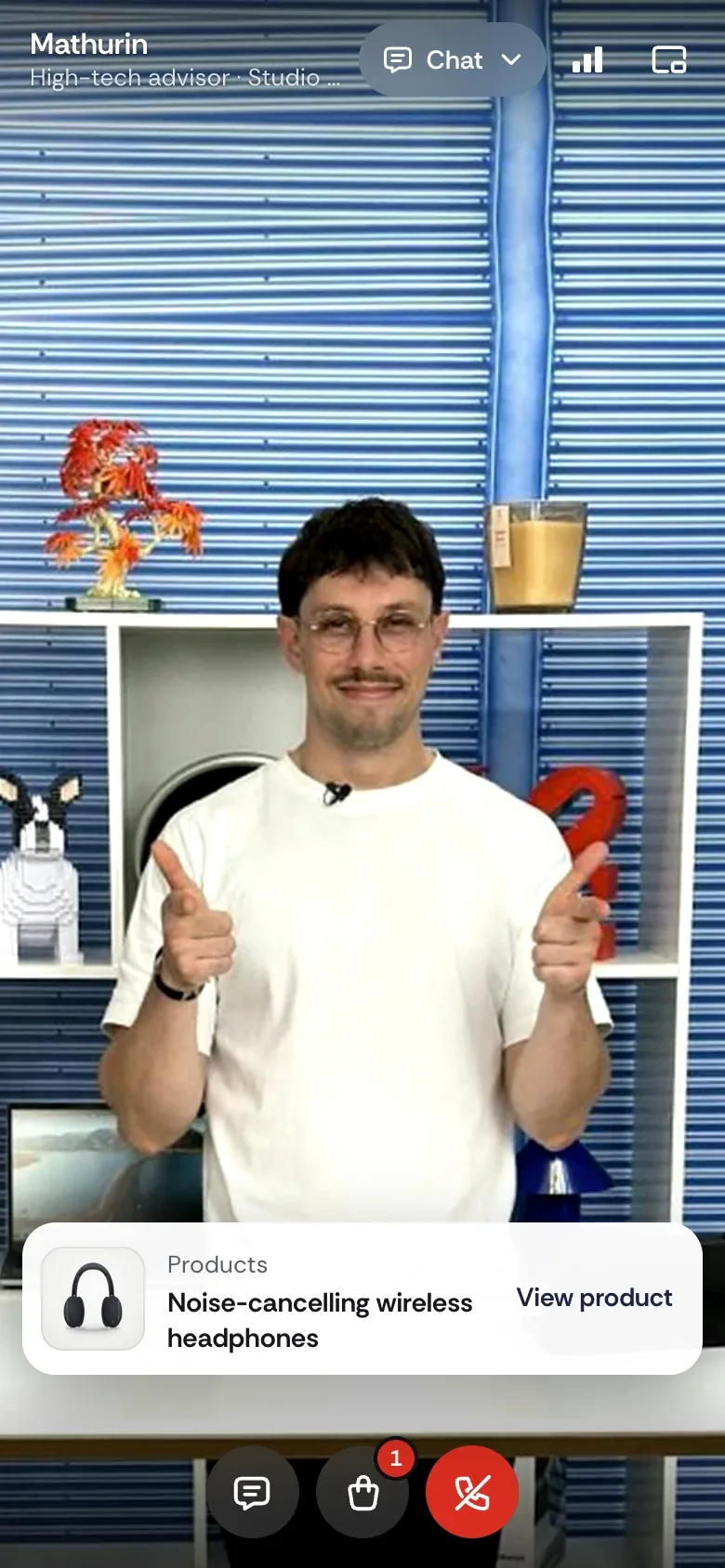
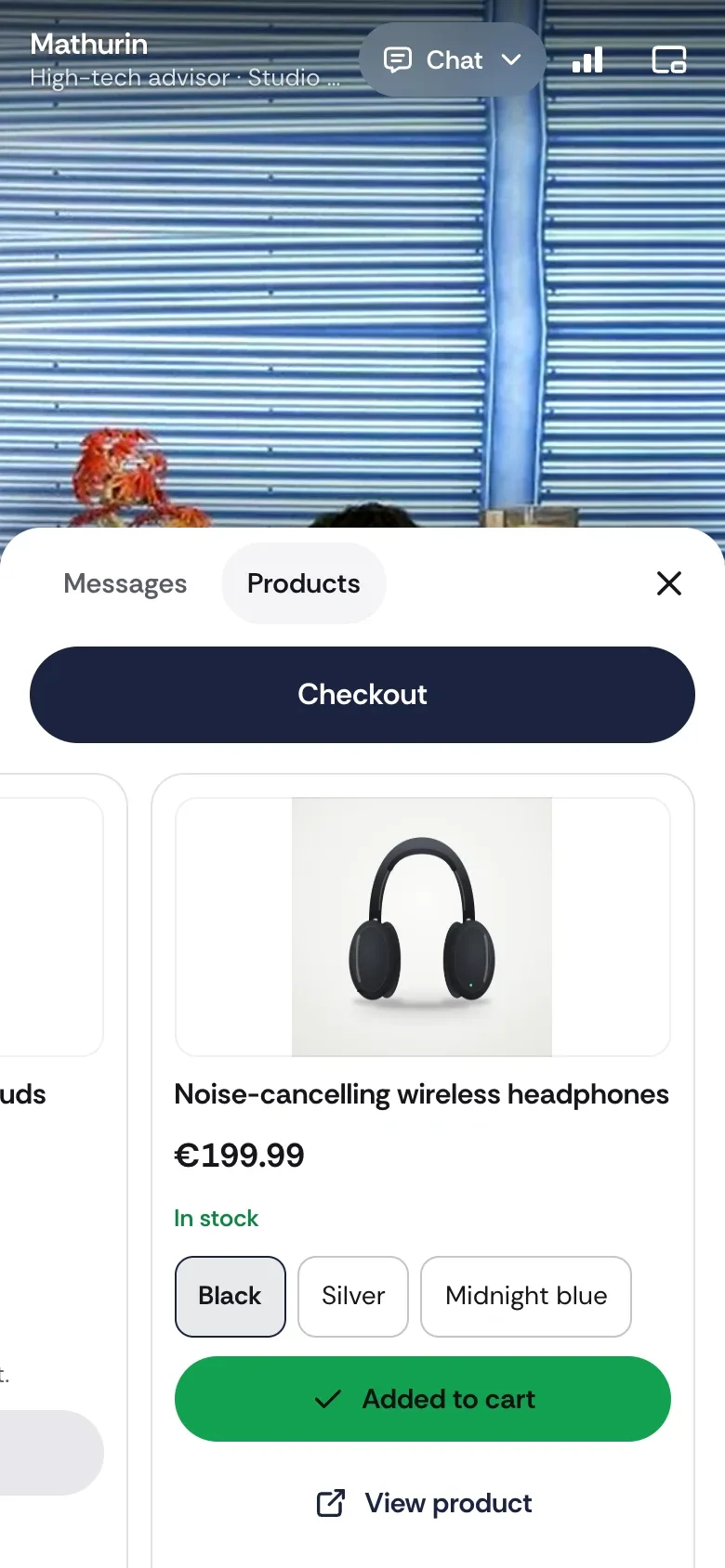
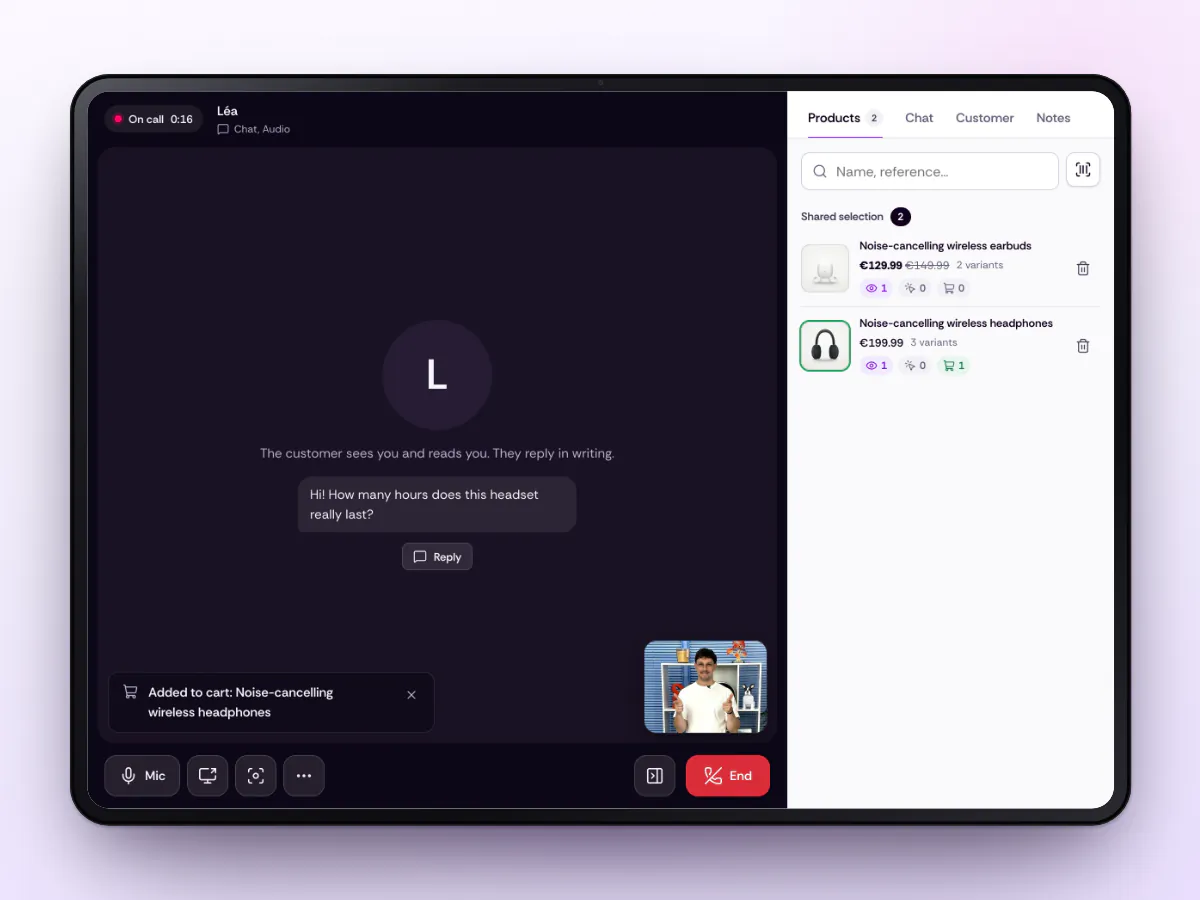
On her phone, Léa sees Mathurin, a high-tech advisor at the Caast studio, who has just sent her the noise-cancelling wireless headphones; on his console, Mathurin reads her question and sees the add-to-cart.

These retailers already sell live with Caast

  • Decathlon
  • Castorama
  • Orchestra
  • JouéClub
  • Gémo
  • Prolians

From live to advisor, in one tap

In the product sheet of a Caast live, replay or short, the “Talk to an expert” link opens the call. The advisor sees where the customer came from and the product they were watching.

  • One product feed

    The products shown in a live are the ones the advisor sends into the call.

  • One cart

    Add to cart goes through the same integration as your lives.

  • One sales tracking

    Sales from calls join your Caast statistics, broken down by source.

A real example: 18 Prolians stores connected to a live show. Read the case study

Three screens, one conversation

Watch a call, then go through each screen, step by step, without leaving an email. The customer controls their camera, the advisor has the catalog at hand, and head office sees what every call brings in.

The real journey, recorded on our demo store, without sound; the advisor’s image is a photo. Léa types her question, Mathurin replies and sends her the headphones, she picks black and adds them to her cart; the console shows the add-to-cart.
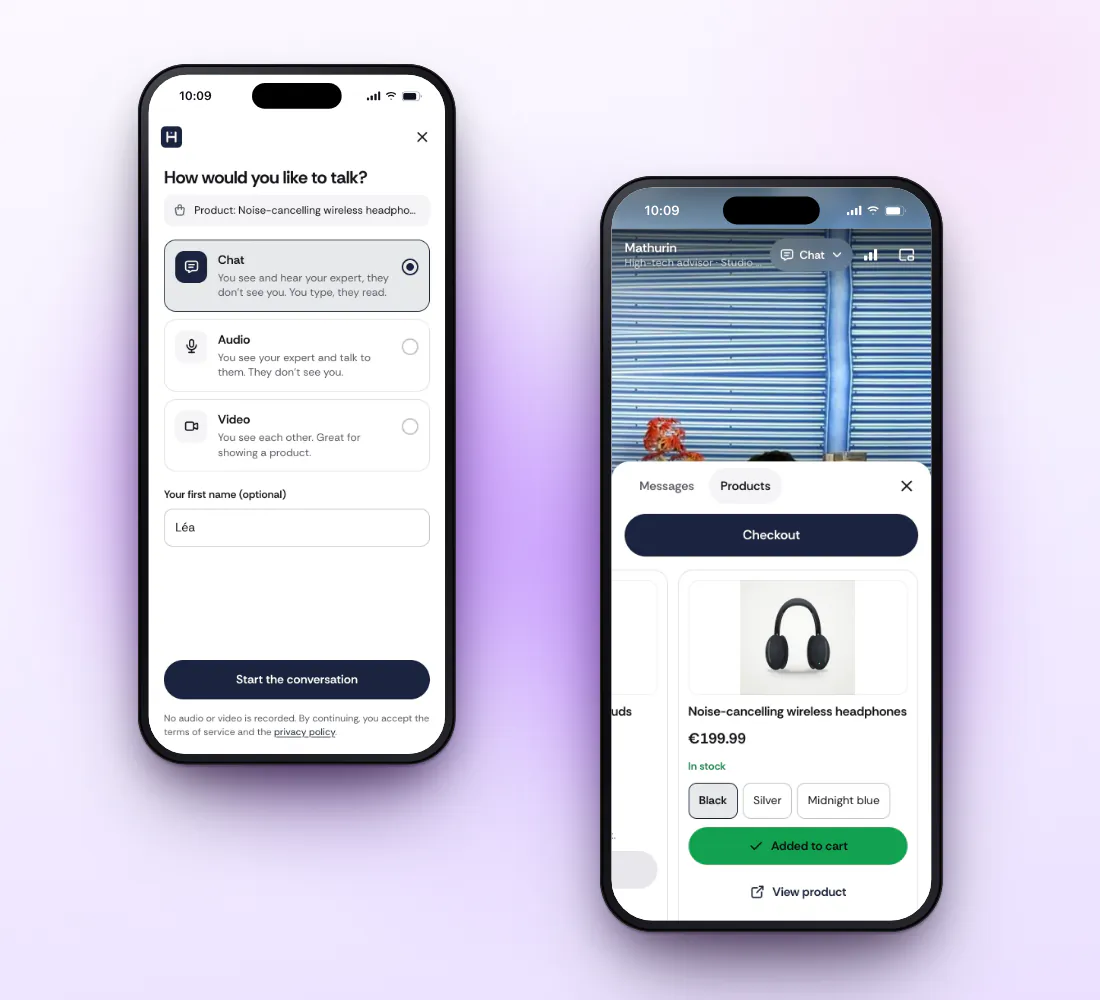
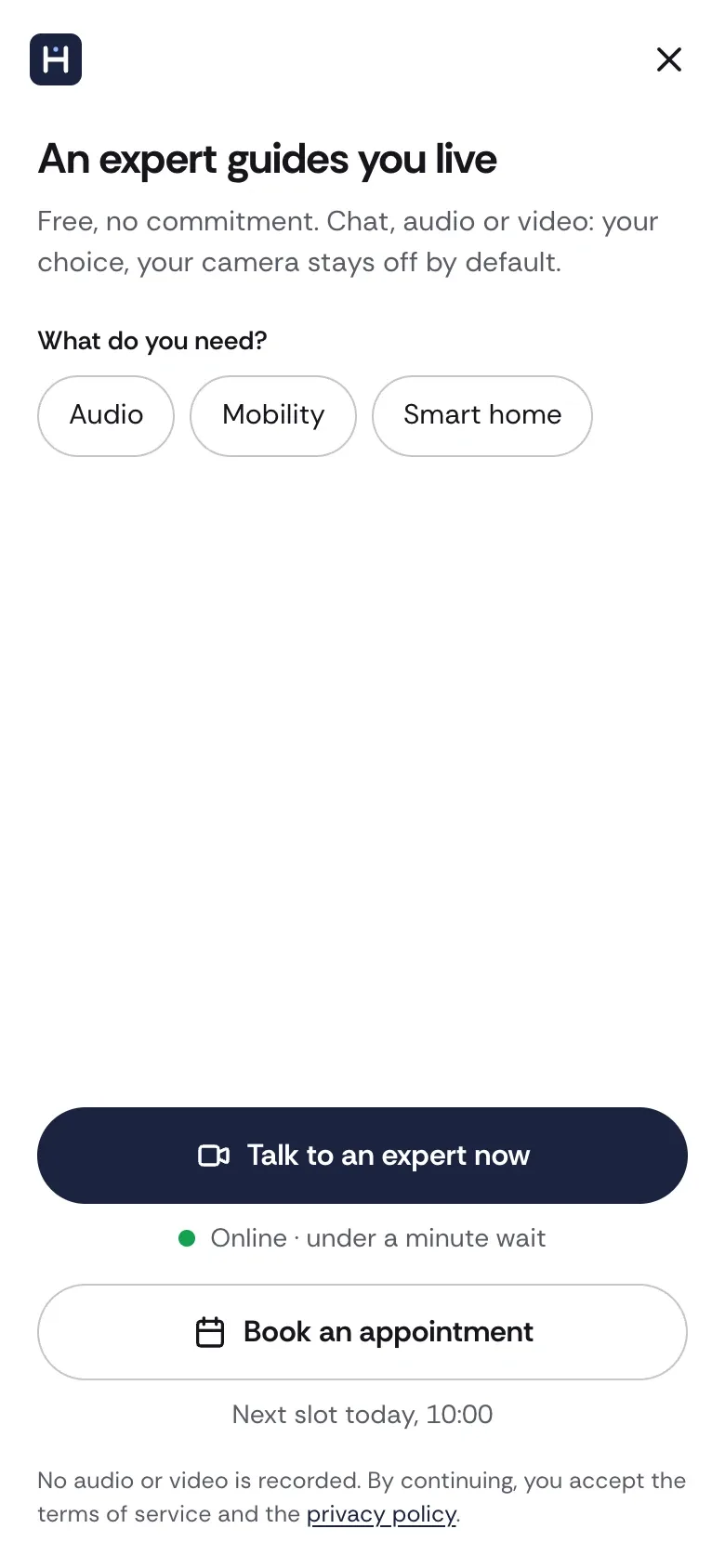
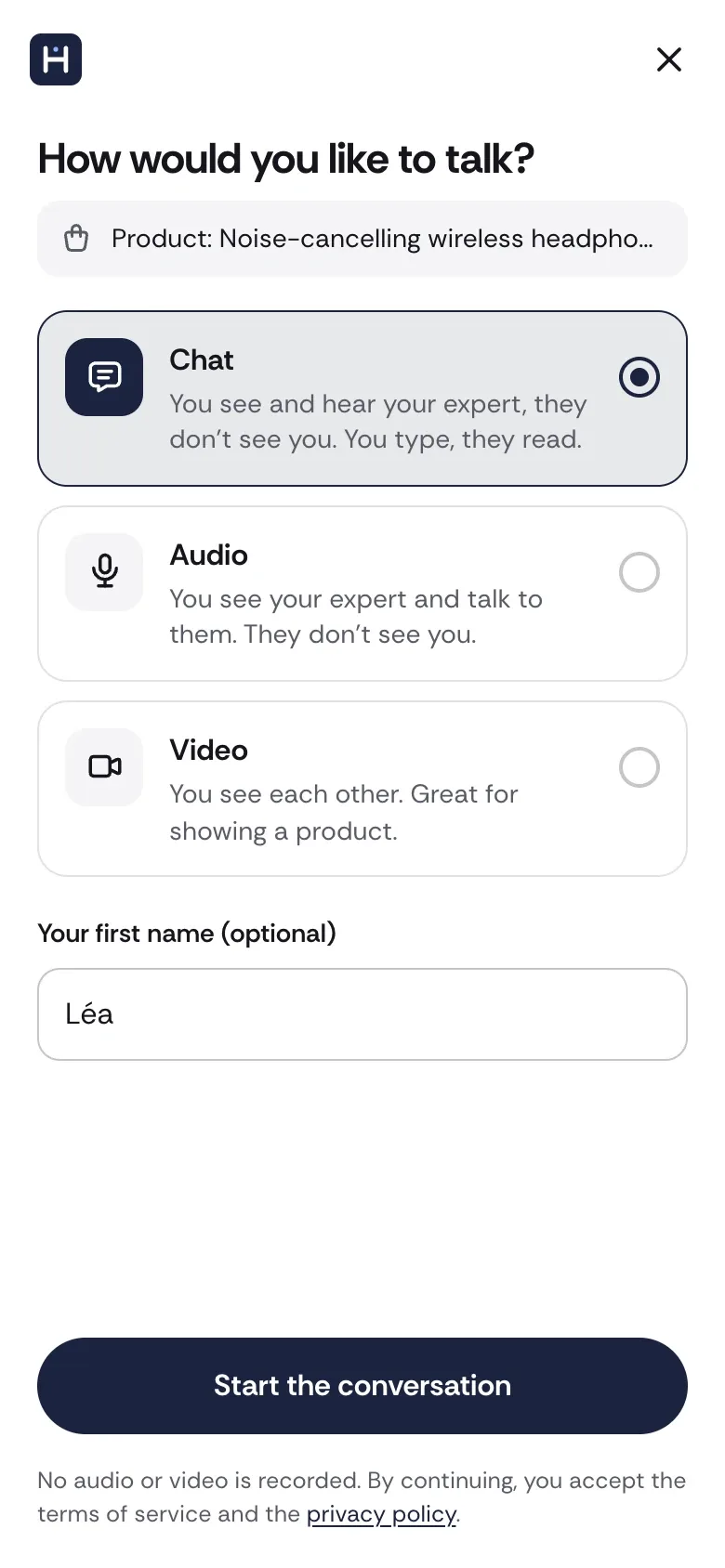
  1. The mobile widget: the customer picks chat, audio or video, then adds the black headphones to her cart from the product card the expert sent, without leaving the call.
    Screen 1 of 8 · Overview. Choosing how to talk, then adding to cart from the product card the advisor sent.
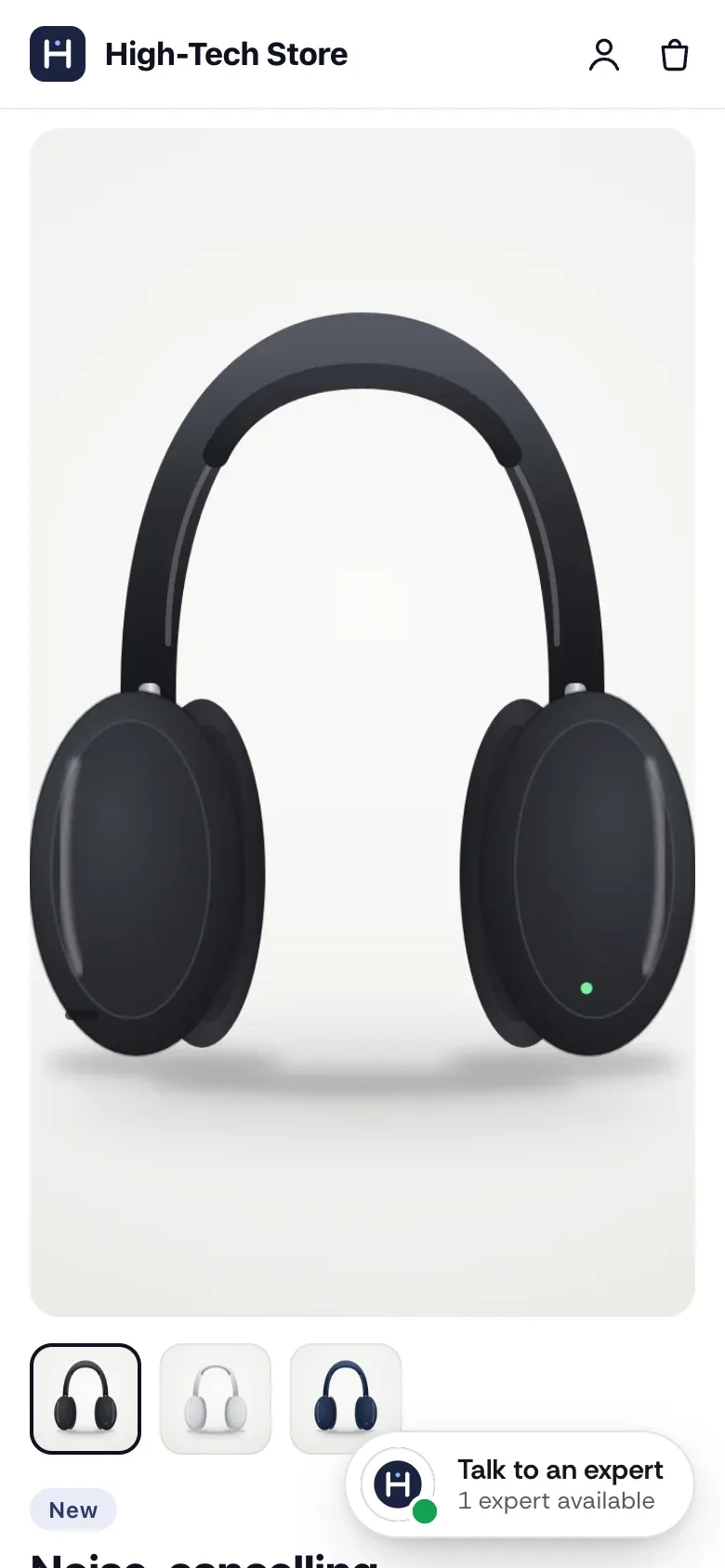
  2. On the product page, the button shows that an advisor is available.
    Screen 2 of 8. On the product page, the button shows that an advisor is available.
  3. The customer picks a need, then right now or by appointment.
    Screen 3 of 8. The customer picks a need, then right now or by appointment.
  4. Chat, audio or video: their camera stays off by default.
    Screen 4 of 8. Chat, audio or video: their camera stays off by default.
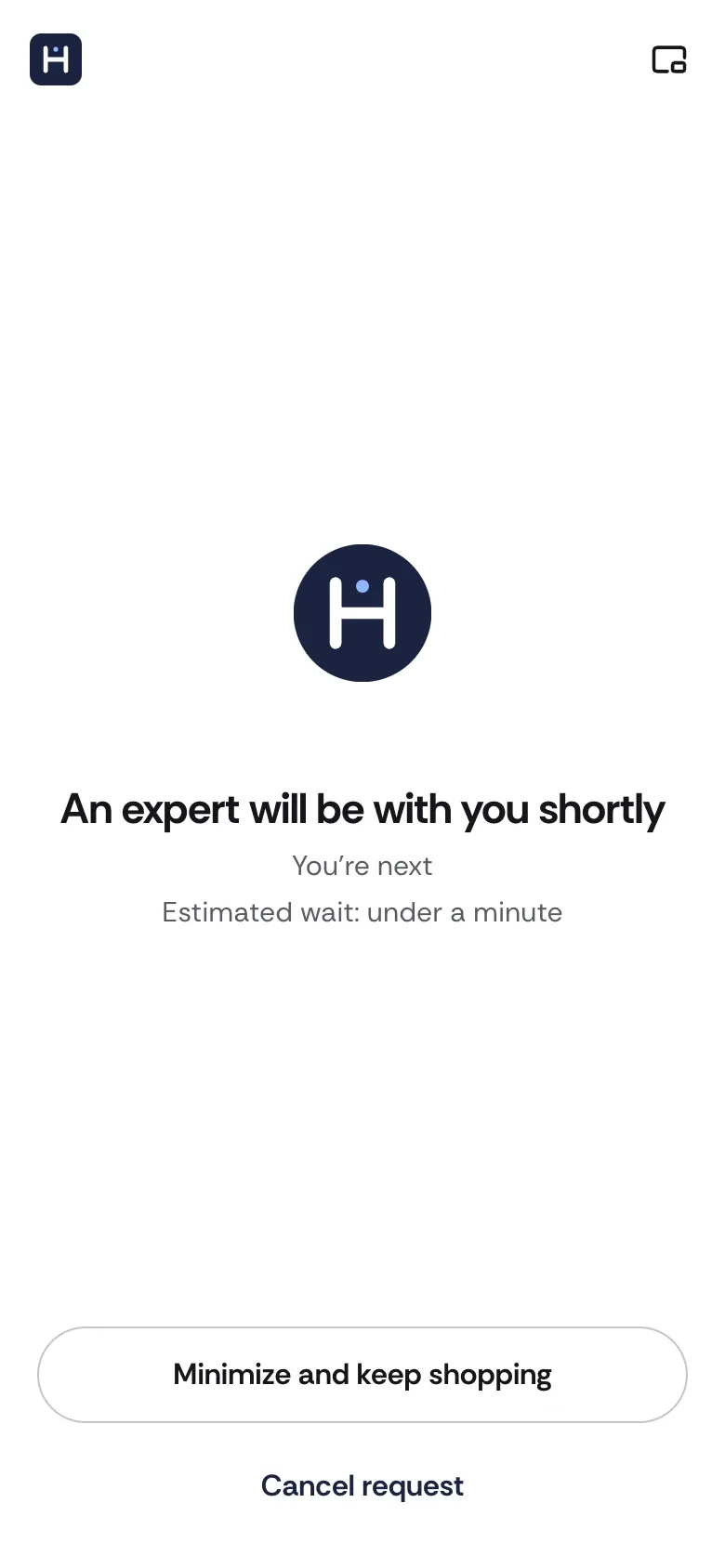
  5. They wait, or minimize the call and keep shopping.
    Screen 5 of 8. They wait, or minimize the call and keep shopping.
  6. The advisor shows them a product in the call.
    Screen 6 of 8. The advisor shows them a product in the call.
  7. They pick a color and add to cart without hanging up.
    Screen 7 of 8. They pick a color and add to cart without hanging up.
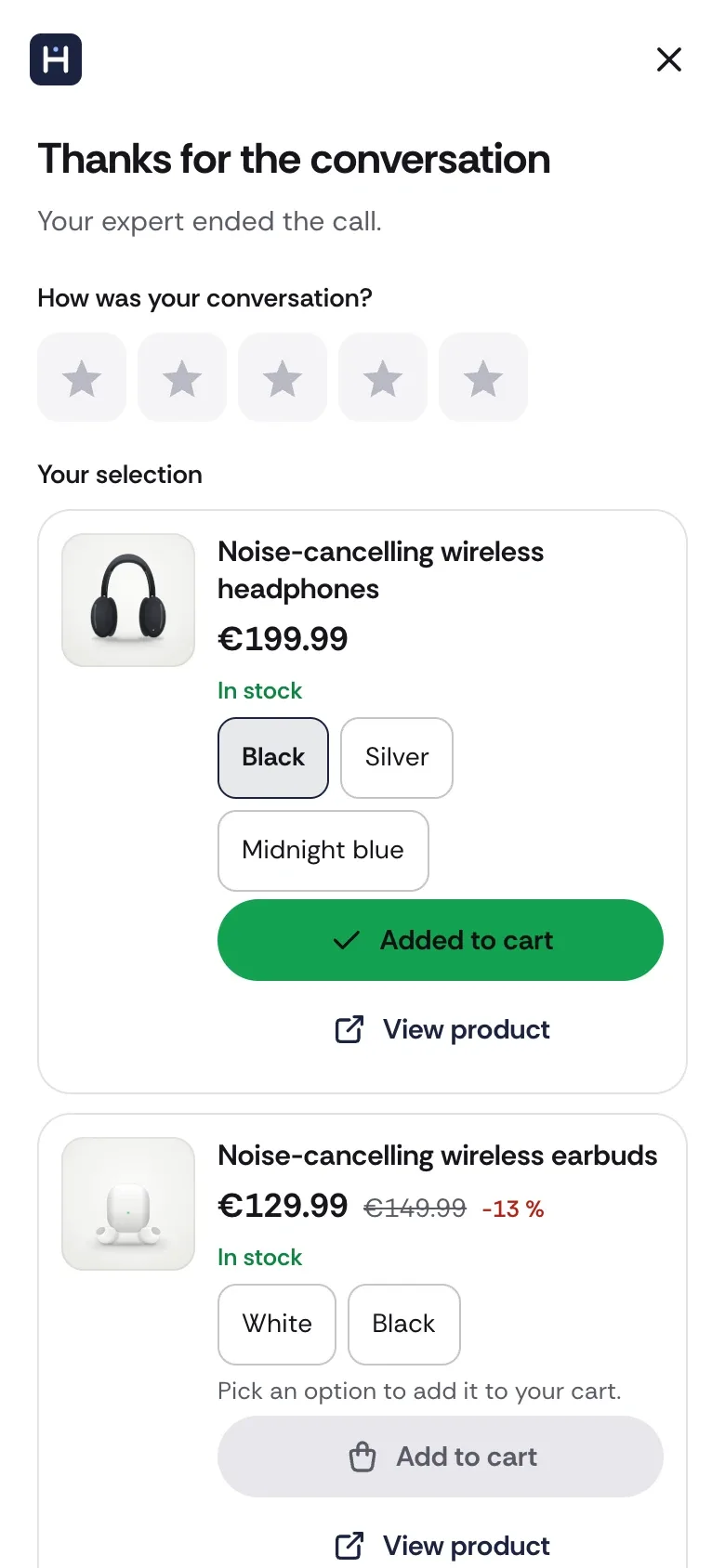
  8. At the end, they rate the call and get their selection.
    Screen 8 of 8. At the end, they rate the call and get their selection.

They choose how they talk to you

  • Chat, audio or video: they choose, and can switch mid-call. Their camera stays off until they turn it on.
  • No account to create. They call without signing in, and leave a first name and an email to book.
  • The product they were viewing comes with them: the advisor sees it as soon as they pick up.
  • The call opens on your site, then follows them from page to page as a thumbnail.
  • They add to cart without hanging up, then rate the call and get their selection.
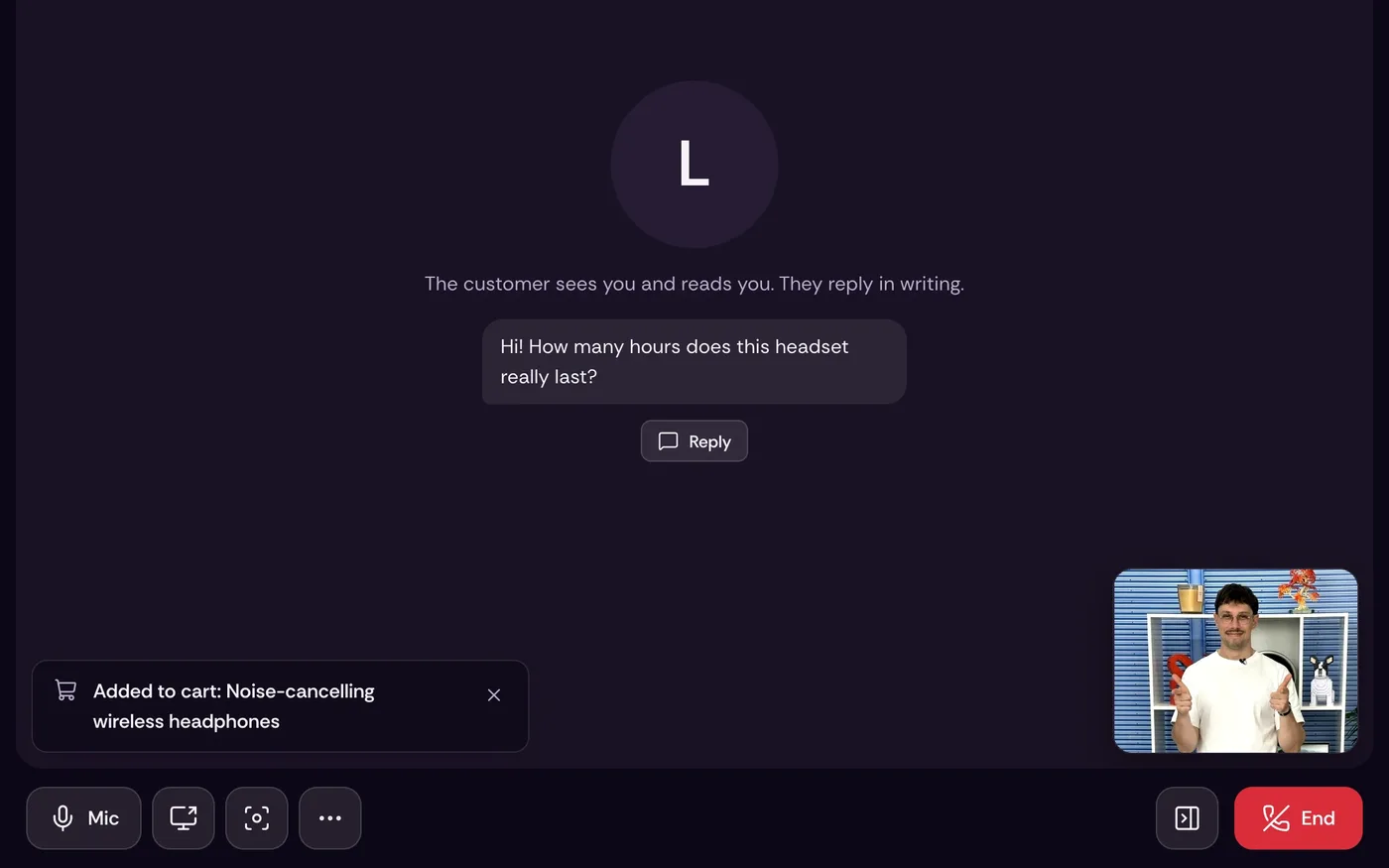
  1. The advisor console on a tablet: an ongoing chat call with Léa, a shared selection of two products and an “Added to cart” signal on the headphones.
    Screen 1 of 7 · Overview. The console on a tablet: Léa’s question, the shared selection and the add-to-cart flagged live.
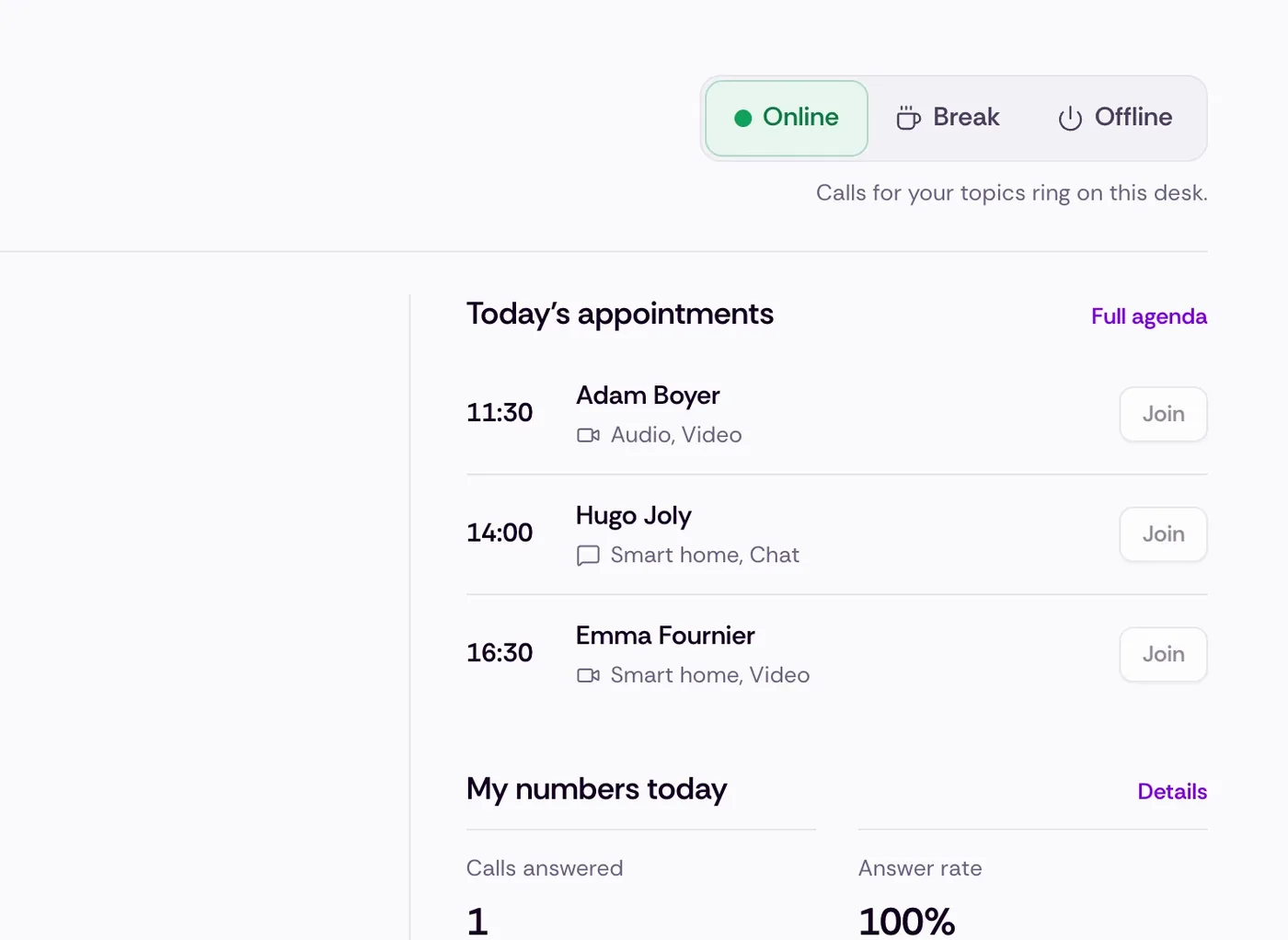
  2. The advisor goes online: calls for their topics ring on their desk.Example data
    Screen 2 of 7. The advisor goes online: calls for their topics ring on their desk.
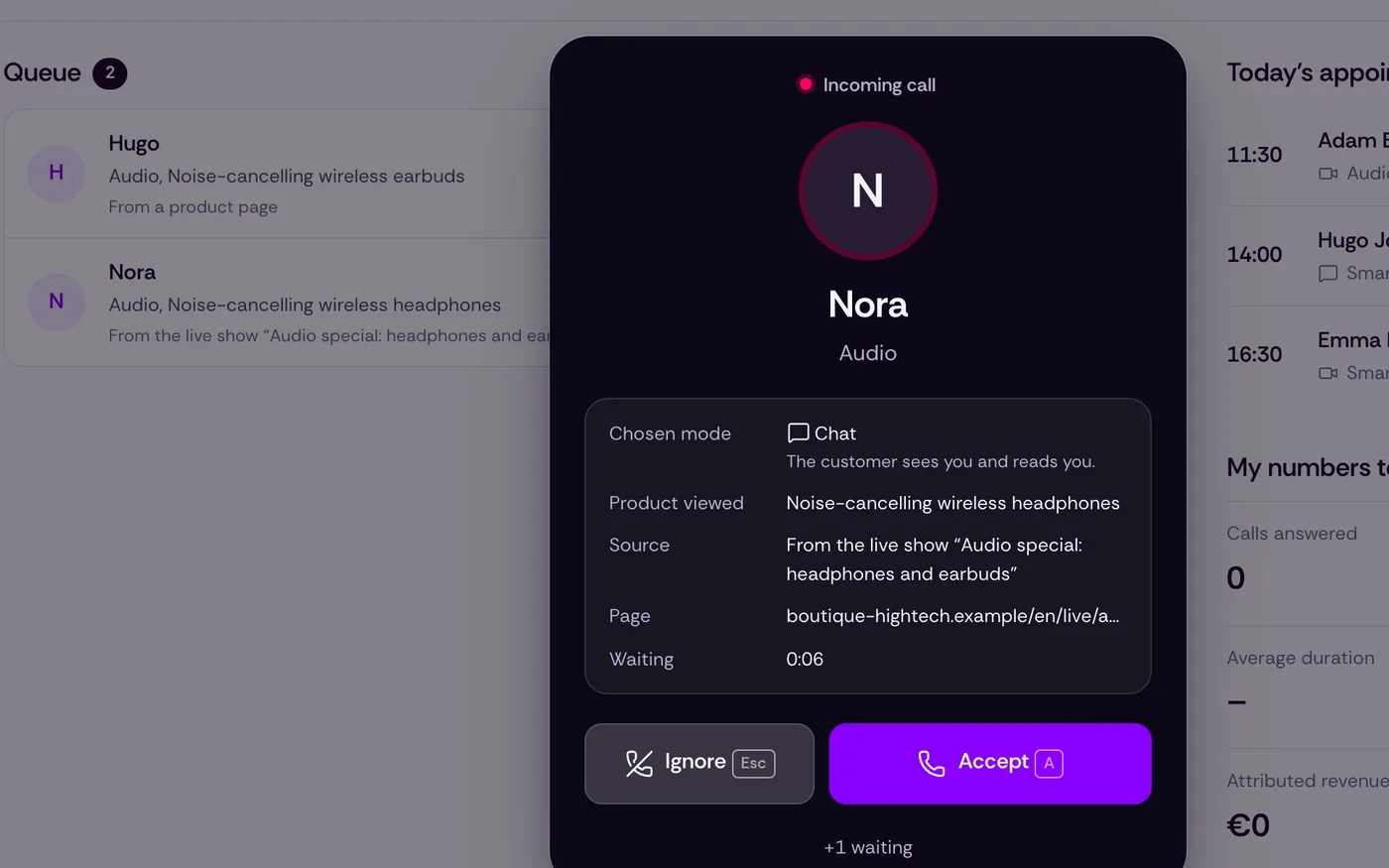
  3. A call comes in, with the chosen mode, the product viewed and the original live show.Example data
    Screen 3 of 7. A call comes in, with the chosen mode, the product viewed and the original live show.
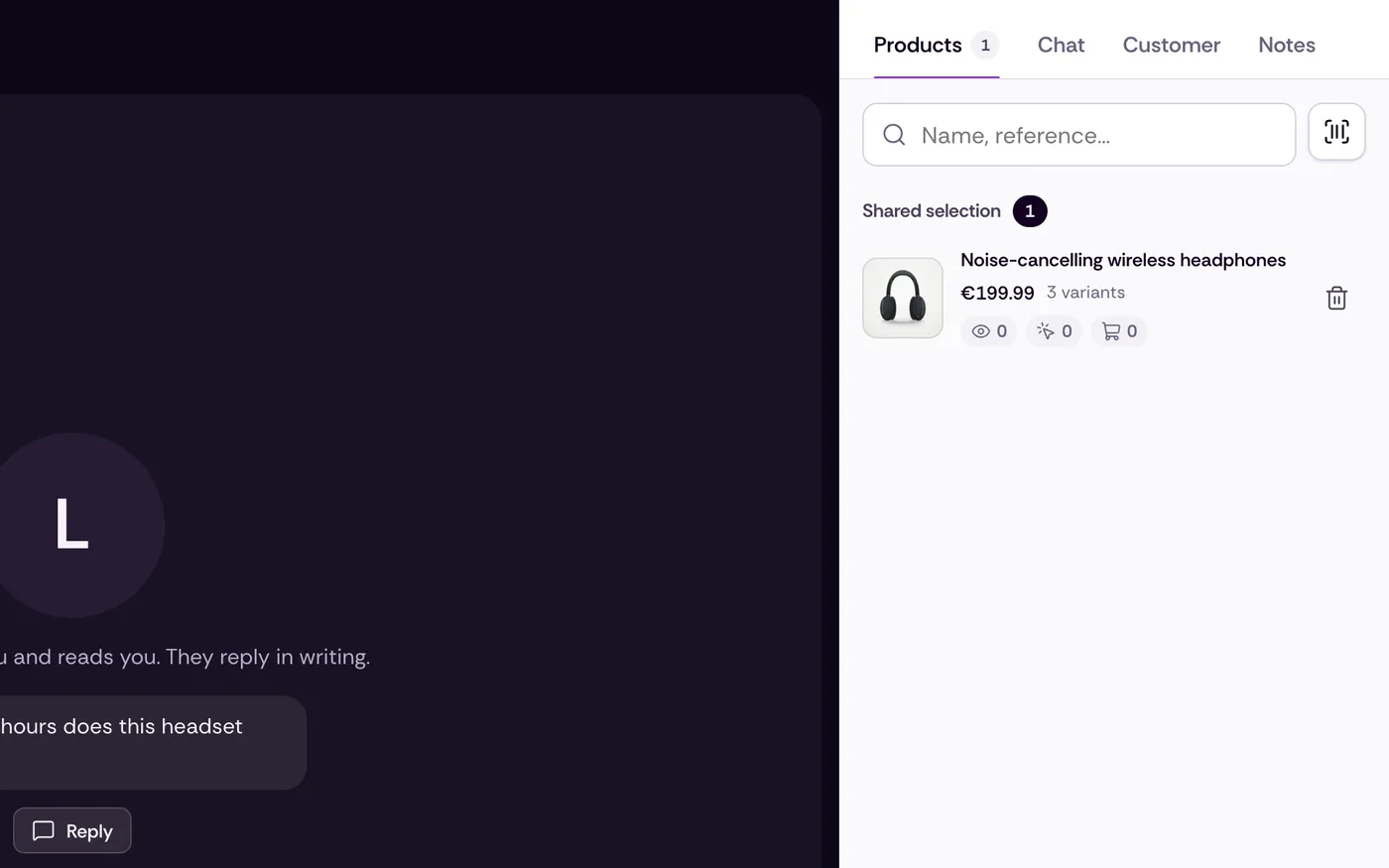
  4. They search the catalog and send the product card into the call.
    Screen 4 of 7. They search the catalog and send the product card into the call.
  5. The customer’s add to cart shows up live.
    Screen 5 of 7. The customer’s add to cart shows up live.
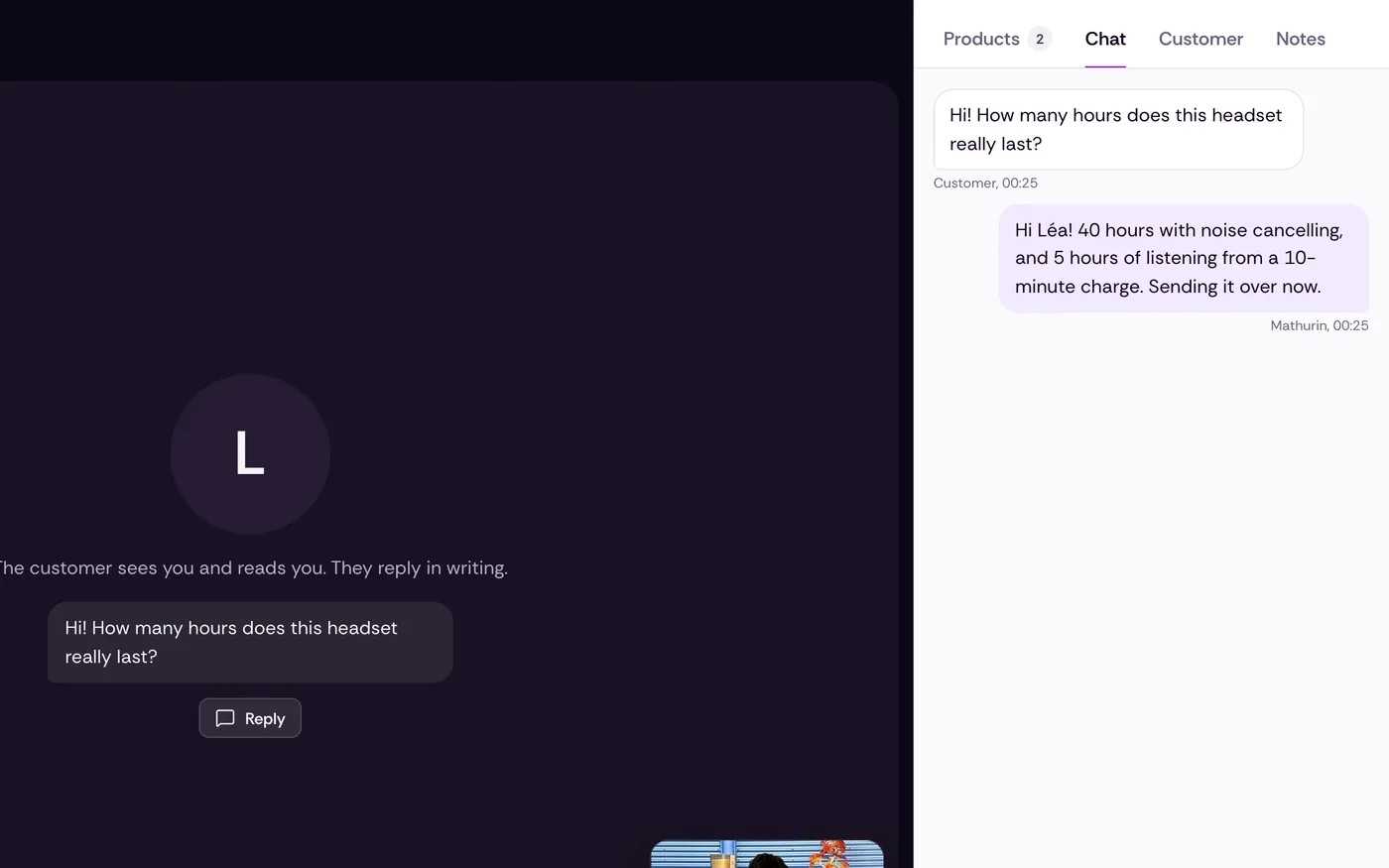
  6. The customer types, the advisor answers by voice or in writing.
    Screen 6 of 7. The customer types, the advisor answers by voice or in writing.
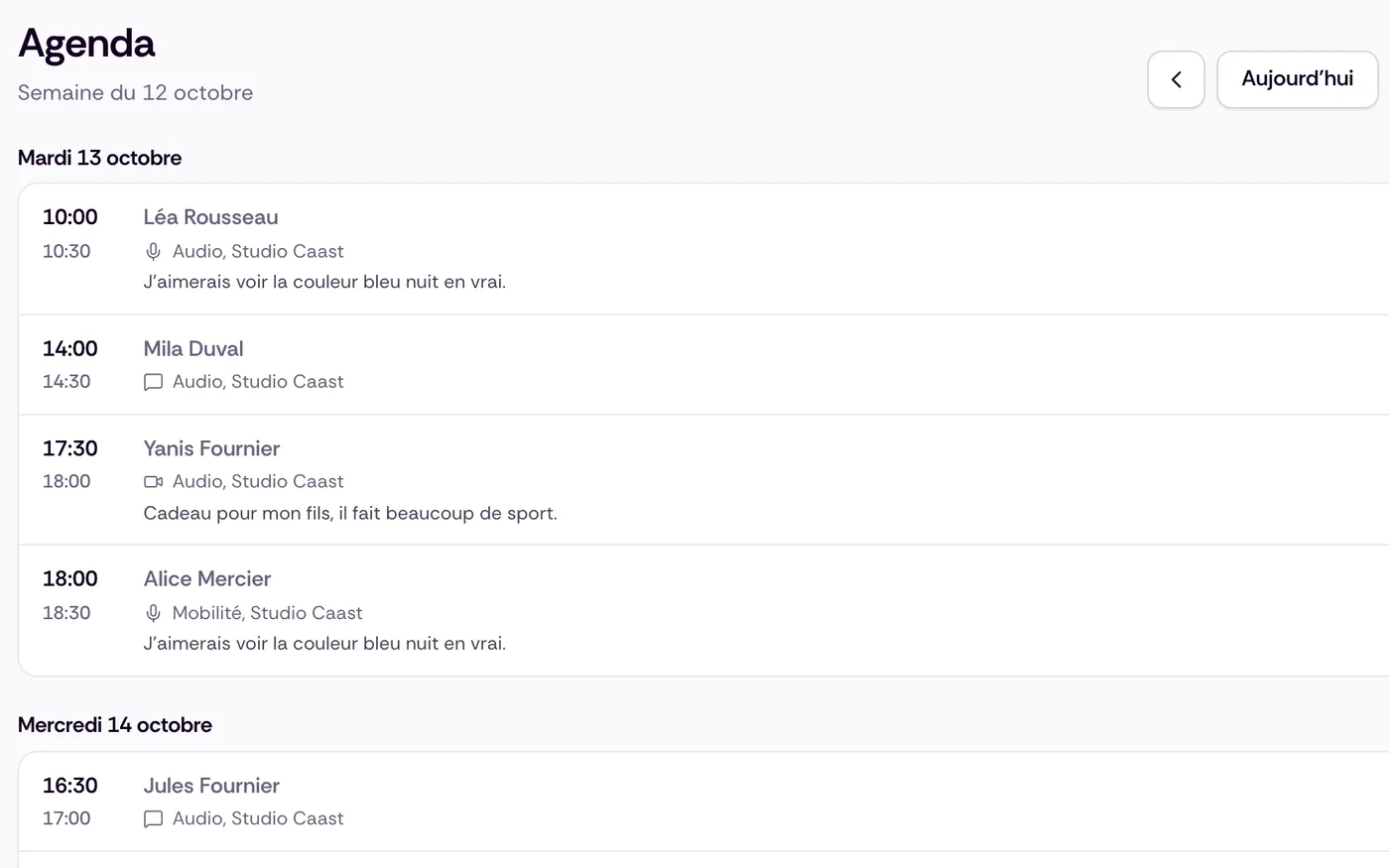
  7. The week’s appointments, with each customer’s need.
    Screen 7 of 7. The week’s appointments, with each customer’s need.

They sell like on the shop floor, from their desk or their phone

  • Always on audio and video, on a computer, tablet or phone.
  • They receive calls for their store, their topics and their languages.
  • They see where the customer came from and the product viewed, search the catalog and send a product card in one tap.
  • They see live what the customer adds to cart.
  • They move the call from their desk to their phone to walk the aisles, scan a barcode, transfer the call to a colleague.
  • They can blur the customer’s video and block a caller.
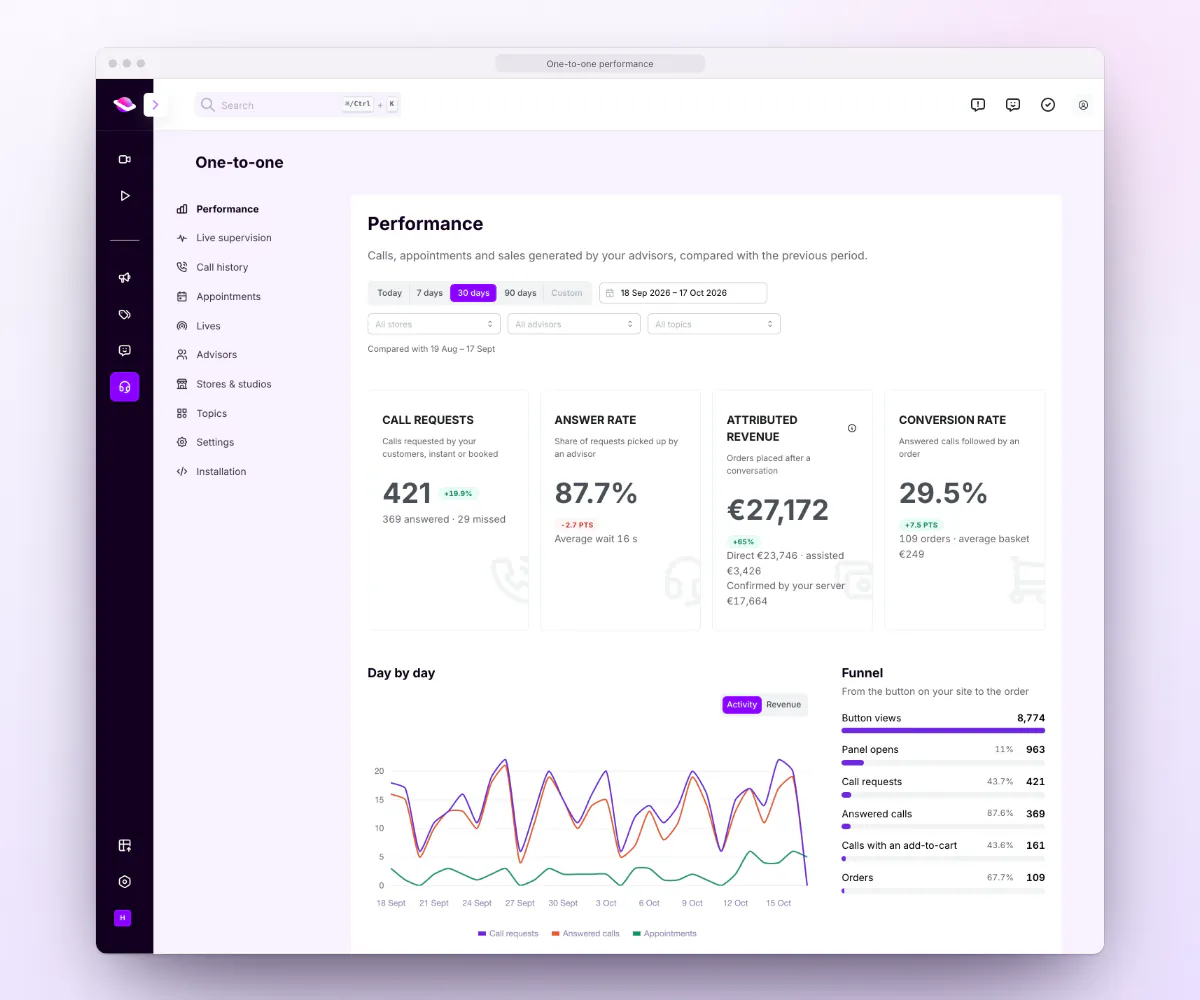
  1. The performance dashboard in the Caast admin: call requests, answer rate, attributed revenue, conversion rate, daily trend and funnel, shown with sample data. Example data
    Screen 1 of 5 · Overview. Performance in the Caast admin: requests, answer rate, attributed revenue, conversion.
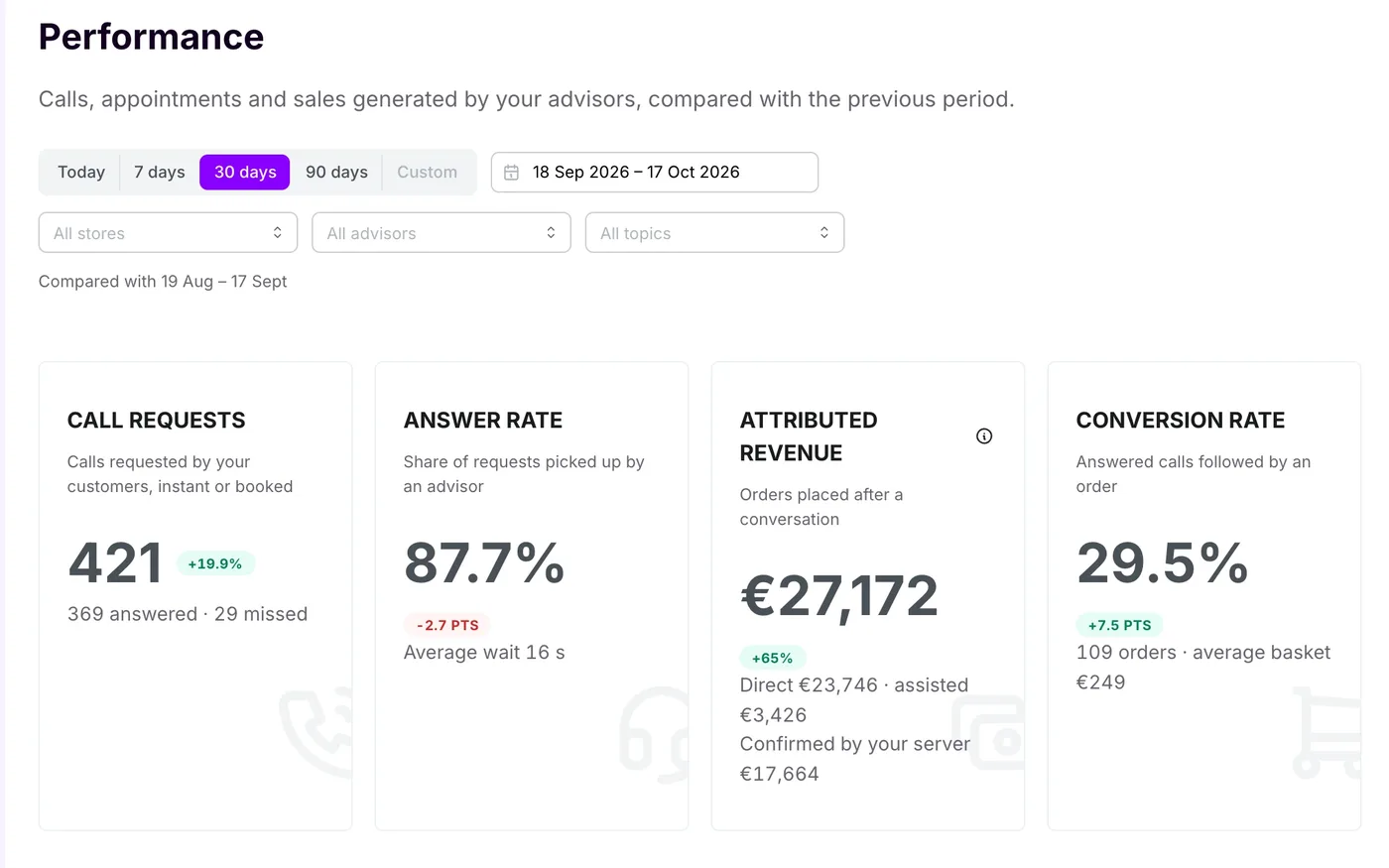
  2. Call requests, answer rate, attributed revenue and conversion, compared with the previous period.Example data
    Screen 2 of 5. Call requests, answer rate, attributed revenue and conversion, compared with the previous period.
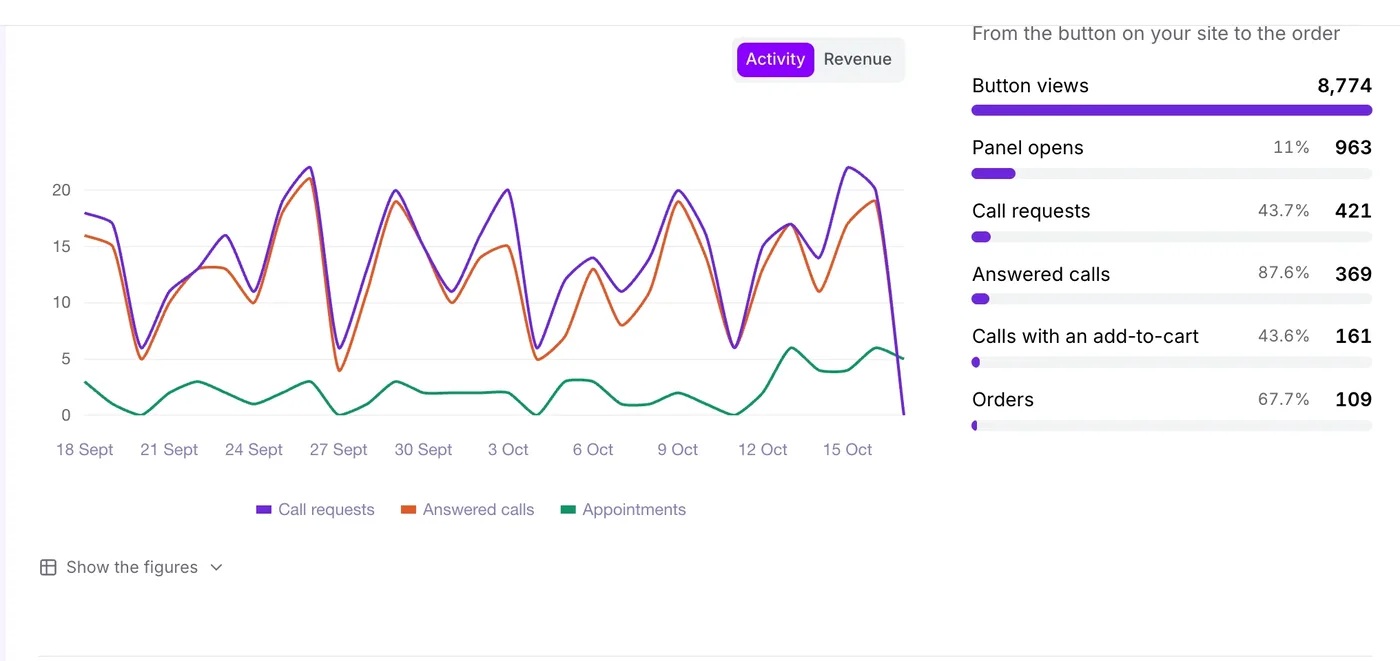
  3. Day-by-day activity and the funnel, from the button on your site to the order.Example data
    Screen 3 of 5. Day-by-day activity and the funnel, from the button on your site to the order.
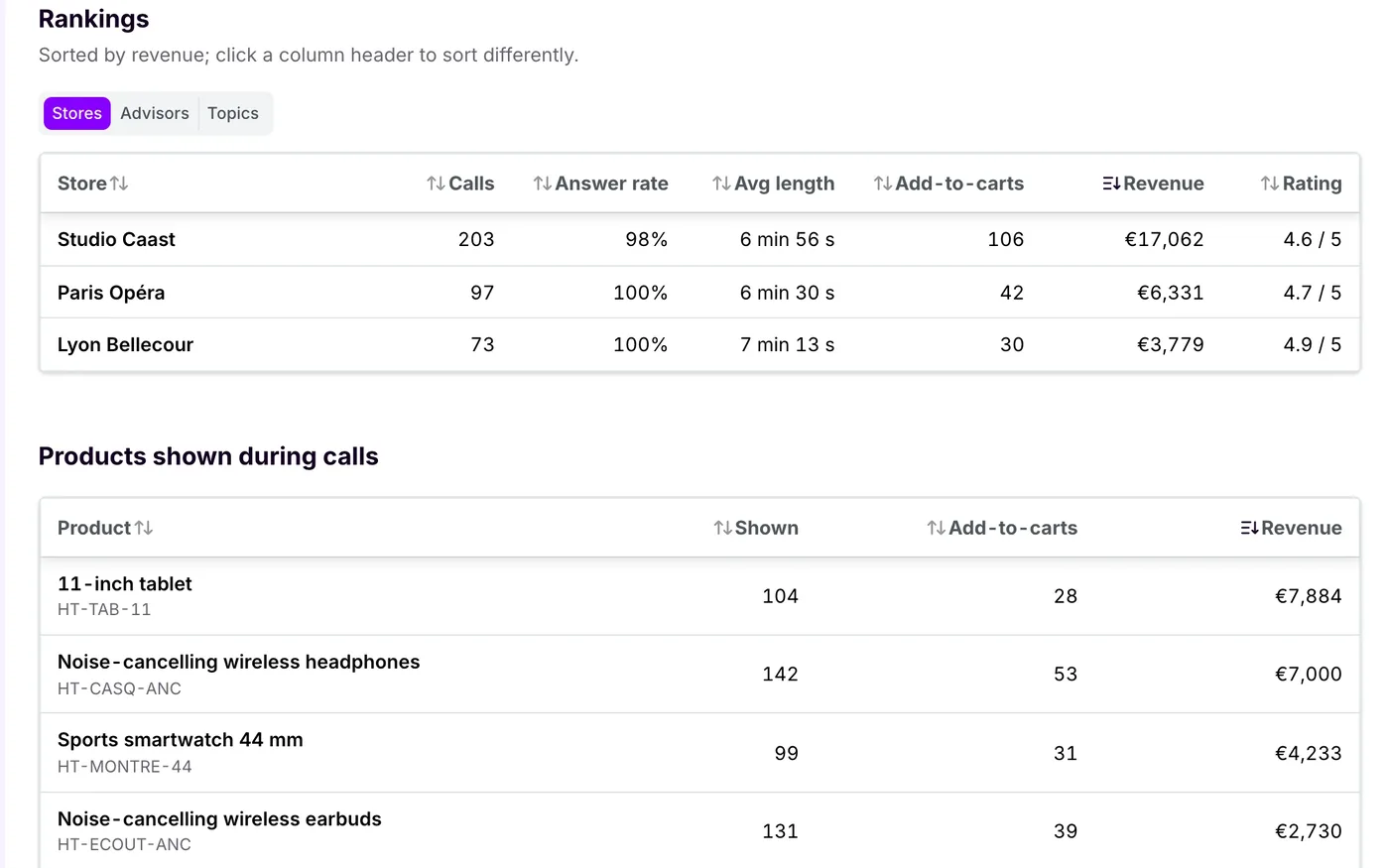
  4. Rankings by store, advisor and topic, and the products shown during calls.Example data
    Screen 4 of 5. Rankings by store, advisor and topic, and the products shown during calls.
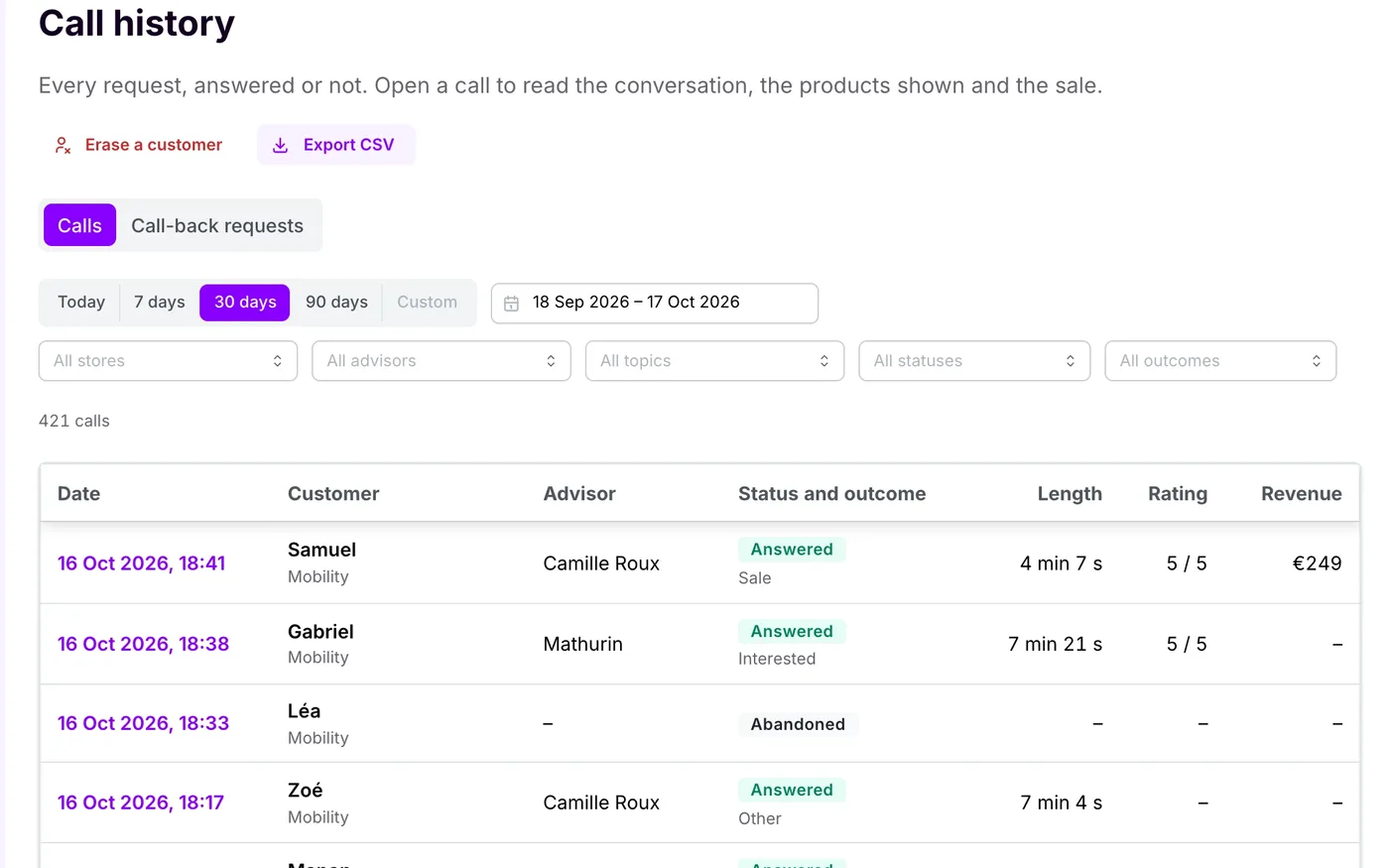
  5. The history of every call, exportable as CSV.Example data
    Screen 5 of 5. The history of every call, exportable as CSV.

It runs the service and measures what it brings in

  • Stores, topics, opening hours, advisors: everything is set up in the Caast admin.
  • Live view: who is online, who is waiting, who is on a call.
  • Answer rate, wait time, conversion, satisfaction and attributed revenue, direct and assisted.
  • By store, advisor, topic and source: product page, live, replay or short.
  • CSV exports, API and webhooks for your BI and CRM.

Direct sale: the customer buys a product sent during the call. Assisted sale: they order within 7 days after the call. This window is configurable.

Video, compositions and screenshots of the real product, on a fictional demo store, with example data. The calendar and booking screens still show the French interface.

Right now or by appointment, never a dead end

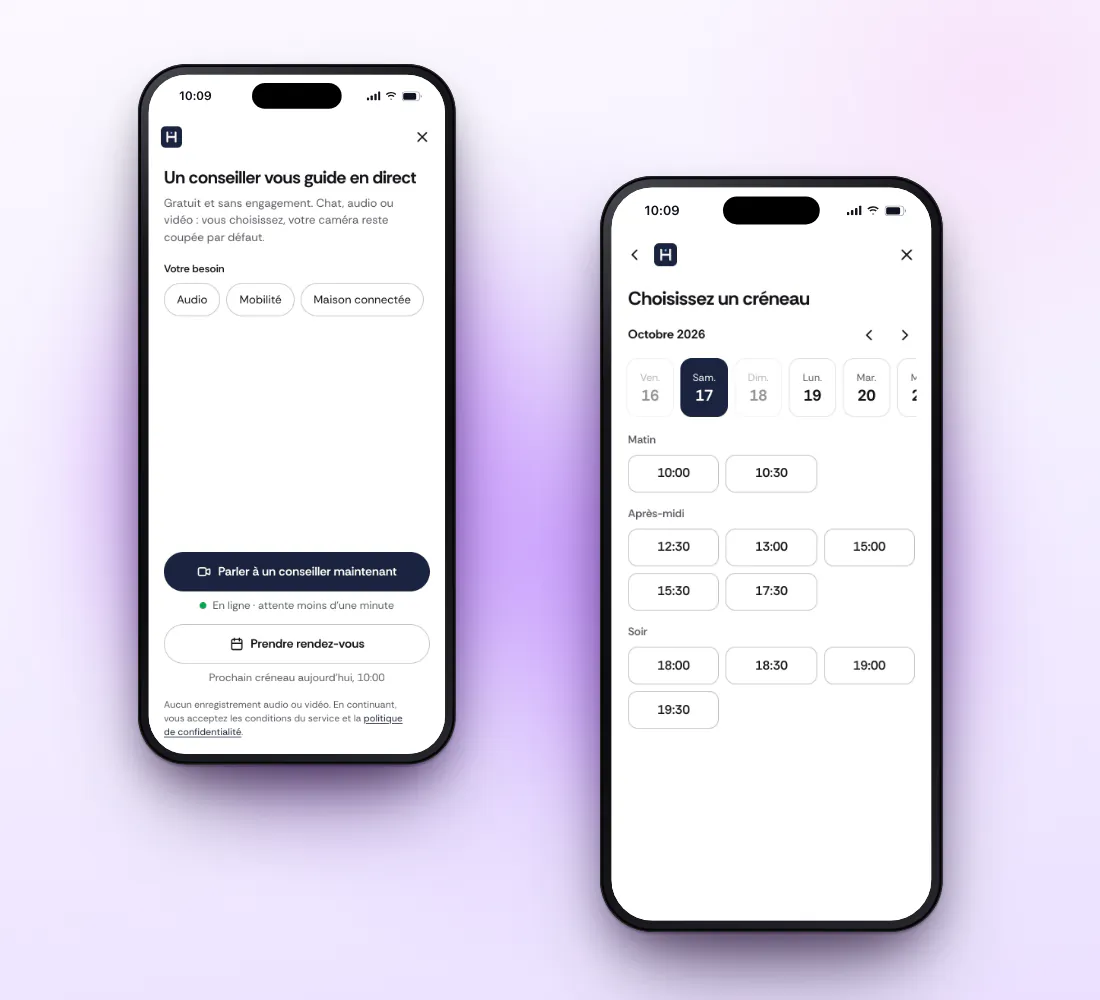
As soon as it opens, the widget offers both: talk to an advisor now, or book a slot.

Two paths in the widget, shown here in French: talk to an advisor now or book an appointment, then pick a slot at the Caast studio.

Right now

For the question that holds up a purchase, while the customer is on the product page.

  1. The customer picks a topic and how they want to talk. The product they were viewing is passed to the advisor.
  2. They see their place in the queue and the estimated wait, and keep shopping meanwhile.
  3. The first available advisor picks up, based on store, category and language.
  4. Nobody answers in time? The widget offers an appointment, already filled in.
By appointment

For purchases that take planning: a bike, a kitchen, a full set of gear.

  1. The customer picks a topic, a store and a slot shown in their own time zone. No account: a first name and an email are enough.
  2. They get an email confirmation and add the appointment to their calendar.
  3. An email reminder goes out the day before and 15 minutes before.
  4. They reschedule or cancel on their own, from the link they received.
  5. On the day, they join from the email link: mic check, waiting room, then the advisor joins.

Advice already sells in our live shows

Before one-to-one calls, our customers already advise their own customers live, during their shows. The results below come from live shows, not from one-to-one calls.

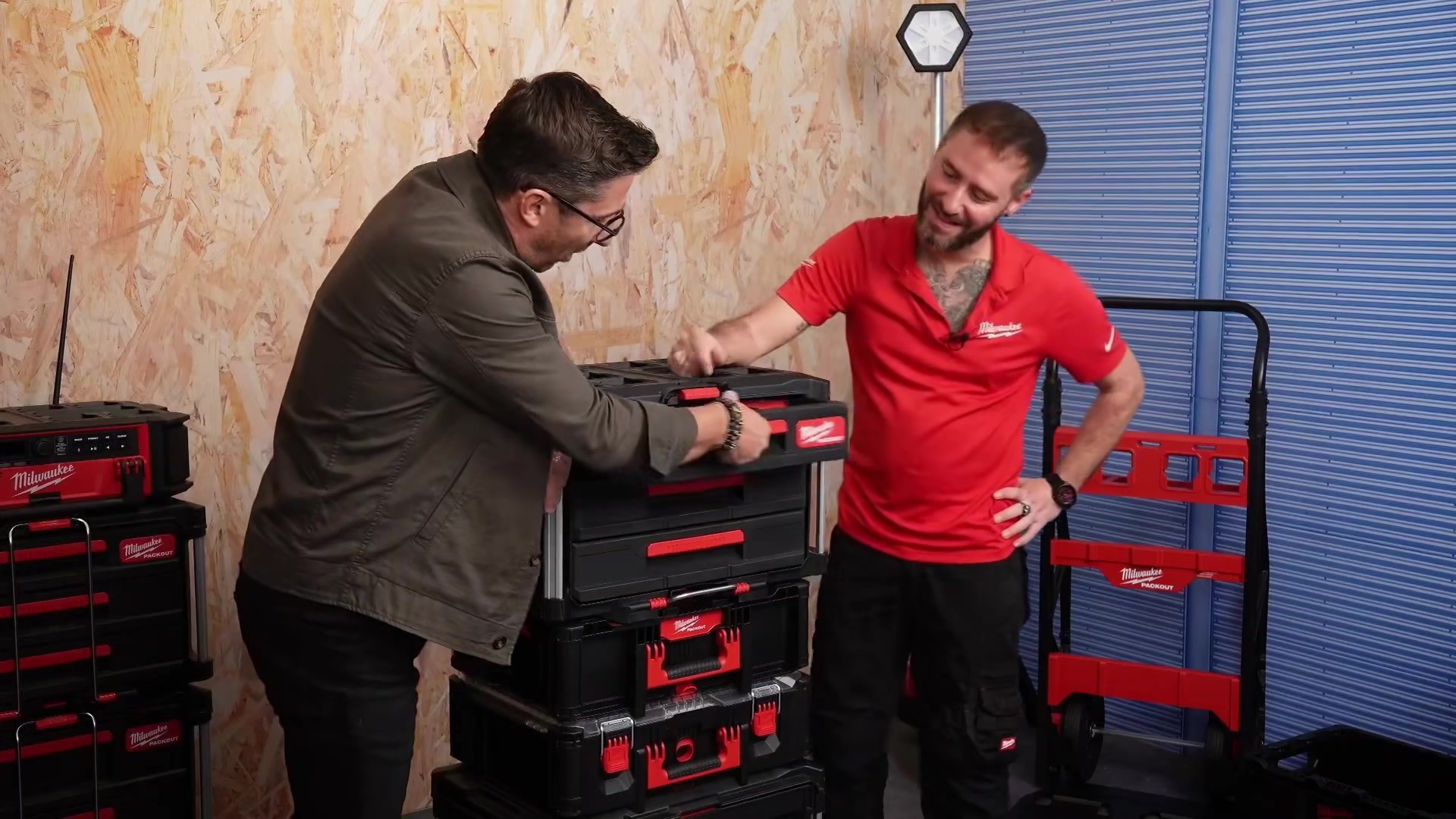
Prolians and Milwaukee live show, product presentation for building professionals

Live show result

Prolians × Milwaukee

18 Prolians stores connected live, with trained teams on hand to support customers throughout the broadcast.

+179%
in-store revenue
+138%
web revenue on launch day
Read the case study

About a live show

« It’s a channel that lets us recreate the in-store experience online: personalised advice, product demonstration, human connection. »

Charlotte MartoureyDigital Director, Carré Blanc
Read the case study

Live show result

50

customer questions answered during a Castorama live show

Read the case study
Mathurin, tech expert, on the Caast studio set in Lille
Mathurin, tech expert, at the Caast studio in Lille.

The Caast studio team can answer your customers

Not enough sales associates available at certain times? Your customers talk to our advisors at the Lille studio, like Mathurin, our tech expert. They take the hours and topics you give them.

  • Measured like your storesThe studio appears in your dashboard, with the same metrics.
  • Your advisors and oursThey share the hours and the topics.
  • Priced on your volume and organizationWe send a quote after the demo.
See a call in a demo

From the first call to the whole network

Already a Caast customer? One-to-one is switched on from the admin, with no new integration: the script is already in place.

  1. Switch onExisting customers switch the service on from the admin. Otherwise, the caast.js script is added to your site once.
  2. Set upStores, topics, opening hours, advisors and the look of the button.
  3. TrainAdvisors sign in with a code sent by email, no password. We help them get started with the console.
  4. PilotStart with one topic, a few stores or the Caast studio, and follow the results in the dashboard.
  5. ExpandAdd stores, topics, your advisors and ours.
For your technical teams: buttons, cart, sales, webhooks
The button
Once switched on, the Caast launcher appears on the pages where caast.js already shows content. For your own buttons: data-caast-one="now" to call, "book" to book, with data-caast-one-product and data-caast-one-topic.
On every page
With one_to_one: true in window.caastSettings, the launcher also appears on pages without a live.
The cart
Add to cart reuses the setup already in place for your lives: your cart, your checkout.
Sales
caastEmitter('track', …) is already on your order confirmation page. Add order_id: a reloaded order is only counted once. A purchase within 7 days after a call is attributed to it.
Your tools
caast.on('onOneToOne…') events for your analytics, an API for appointments and sessions, and signed webhooks for your systems.

On a product page

<button
  data-caast-one="now"
  data-caast-one-product="REF-12345"
  data-caast-one-topic="201">
  Talk to an expert
</button>

From your code

// Book this product
caast.oneToOne({
  action: 'book',
  productRef: 'REF-12345'
})

caast.on('onOneToOneStart', (e) => {
  /* your analytics */
})

Order confirmation page, already in place

caastEmitter('track', {
  order_id: 'CMD-48211',
  total: 34.99,
  products: [{
    id: 'REF-12345',
    quantity: 1,
    price: 34.99
  }]
})

Signed webhooks

appointment.created   appointment.rescheduled
appointment.cancelled session.ended
purchase.attributed

X-Caast-Signature: sha256=…

What your security and legal teams will ask

Hosting
Data and the media server are hosted at OVHcloud. Web traffic goes through Cloudflare, which protects the service against attacks.
No recording
Calls are neither recorded nor stored. Audio and video streams are encrypted up to the media server.
GDPR
Explicit consent when booking, a separate marketing opt-in, a configurable retention period for personal data and messages, and customer erasure on request.
Accessibility
Widget and console designed for WCAG 2.2 level AA: keyboard, visible focus, contrast, reduced motion. Accessibility has been a legal requirement for e-commerce in France since June 28, 2025.Source: Access42 timeline (in French)
Roles and safeguards
Head office configures and sees everything, store managers follow their team, advisors see their own calls. One-time sign-in codes, abuse limits, caller blocking.
DPA and security pack on request
We answer your security questionnaires and send you our DPA, our list of subprocessors and the data flow diagram. Write to security@caast.tv.

Frequently asked questions

Your customers install nothing: the call opens in their browser, on your site. On your side, if the caast.js script from your lives is already in place, the service is switched on from the Caast admin. If not, it is that same script, added once.

If caast.js is already on your site, launching requires no development. The timeline mostly depends on your organization: creating stores and topics, inviting and training advisors, setting opening hours. We plan it together during the demo.

No. They choose chat, audio or video and can switch at any time. Their camera stays off until they turn it on. They always see their advisor, who is on audio and video.

Yes, on both sides. The customer calls from their phone or computer. The advisor works on a computer, tablet or phone, and can move the call from their desk to their phone to show a product on the shop floor.

The advisor sends the product card into the call. The customer picks a size or color and adds to cart without hanging up. The item goes into your own cart, using the setup already in place for your lives, and payment stays on your checkout.

The dashboard tracks requests, answer rate, wait time, add to carts, orders, satisfaction and attributed revenue. A sale is direct when the customer buys a product sent during the call, and assisted when they order within 7 days after it; that window is configurable. Everything breaks down by store, advisor, topic and source.

It is hosted at OVHcloud, and web traffic goes through Cloudflare, which protects the service. Calls are not recorded. You set how long personal data is kept and can erase a customer on request; aggregated statistics remain. Our DPA and security pack are sent on request.

You set the opening hours of each store and the availability of each advisor. When nobody is available, the customer books an appointment. If they wait too long in the queue, the widget offers a slot and keeps what they already entered.

For routing, yes: each advisor lists the languages they speak and receives the matching calls. The widget interface is available today in French and English. For another language, let’s discuss it during the demo.

Pricing depends on your volume and organization: your own advisors, the Caast studio advisors, or both. We send a quote after the demo.

See a call from start to finish

In the demo, we run a call from the customer, advisor and head office side, then look at your organization: stores, hours, teams.

See a call in a demo

Not ready yet? Watch a 26-second call, go through the product screens, or ask for our security pack at security@caast.tv.